Indicators
Machine Learning Trading Indicator for MT5: AI That Keeps Its Own Score on Screen
Machine-Learning Nexus compares every candle with the most similar moments of the past, colors the chart and shows its own statistics while you day trade.
Remembering what happened next
Experienced traders do something no indicator used to do: they look at the chart and remember. “This looks like that Tuesday last month.” Then they recall what happened next. Most so-called AI indicators skip that part and just show an arrow.
Machine-Learning Nexus does the remembering out loud. On every candle it searches recent history for the moments most similar to now, turns them into a reading, colors the candles with it, writes the strength of the reading on each candle and keeps a statistics panel on screen so you can follow how the reading is doing on your asset.
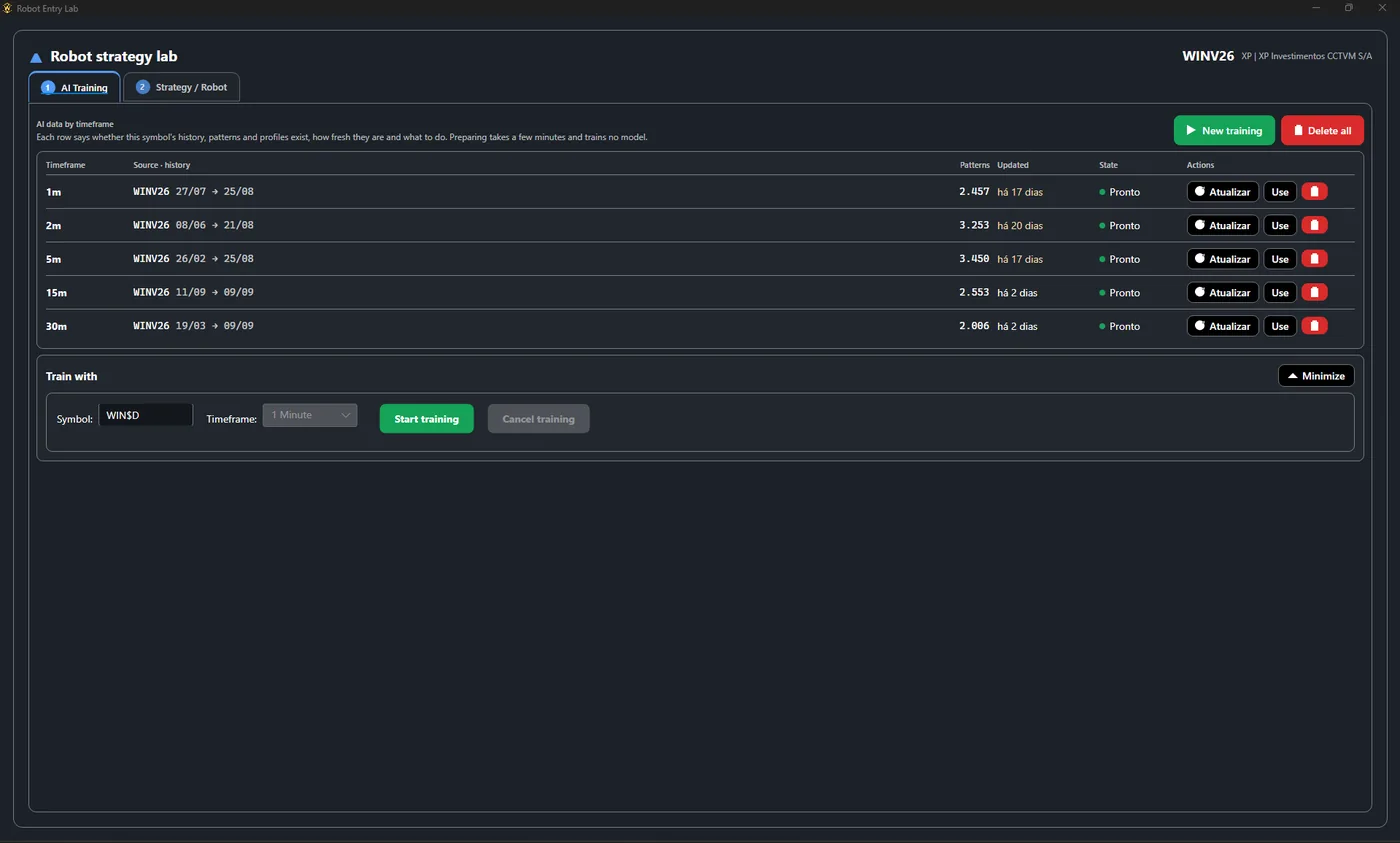
Machine-Learning Nexus is one of the indicators of MetaPro Trader, an AI day trading platform for MT5 where artificial intelligence is never generic. The first time you use the AI on an asset and timeframe, the platform prepares it from that asset’s own history: it downloads the candles, organizes the patterns and shows the progress on screen. A few minutes later the AI is reading that market, not a template built for another one.
Scene 1: the reading turns at the top of a rally
July 31, noon. The mini index had rallied to about 181,600 and was starting to fall.
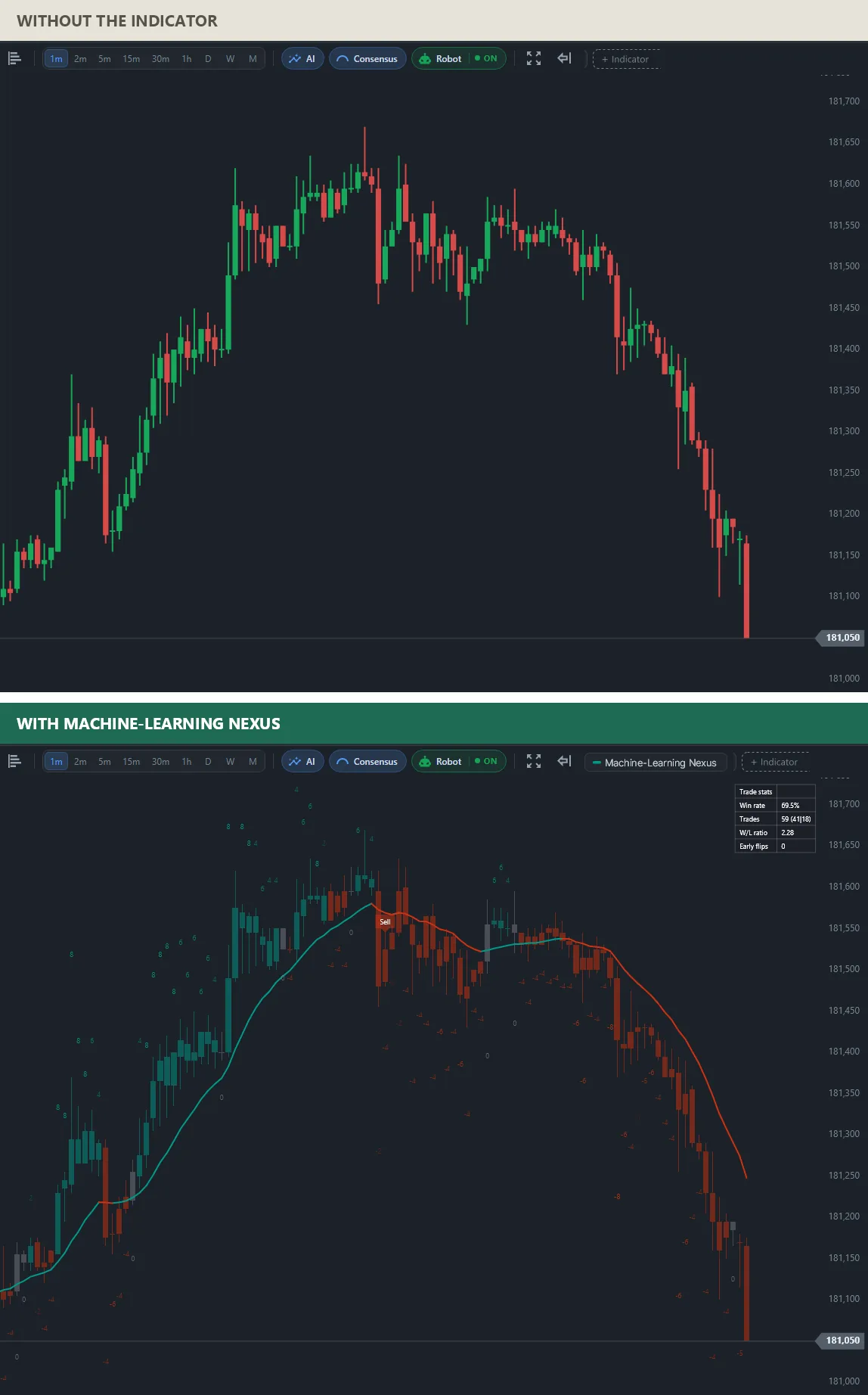
With the indicator, every candle carries a number: the strength of the reading at that moment, positive during the rally and negative as it rolled over. The kernel line turns from green to red near the top and a Sell mark appears where the model’s filters confirmed the flip. In the corner, the statistics panel keeps count of the model’s own signals on this chart.
Scene 2: the reading turns at the bottom of a fall
August 13, 13:30. The mini index had fallen from about 170,700 to 169,450 and was bouncing.
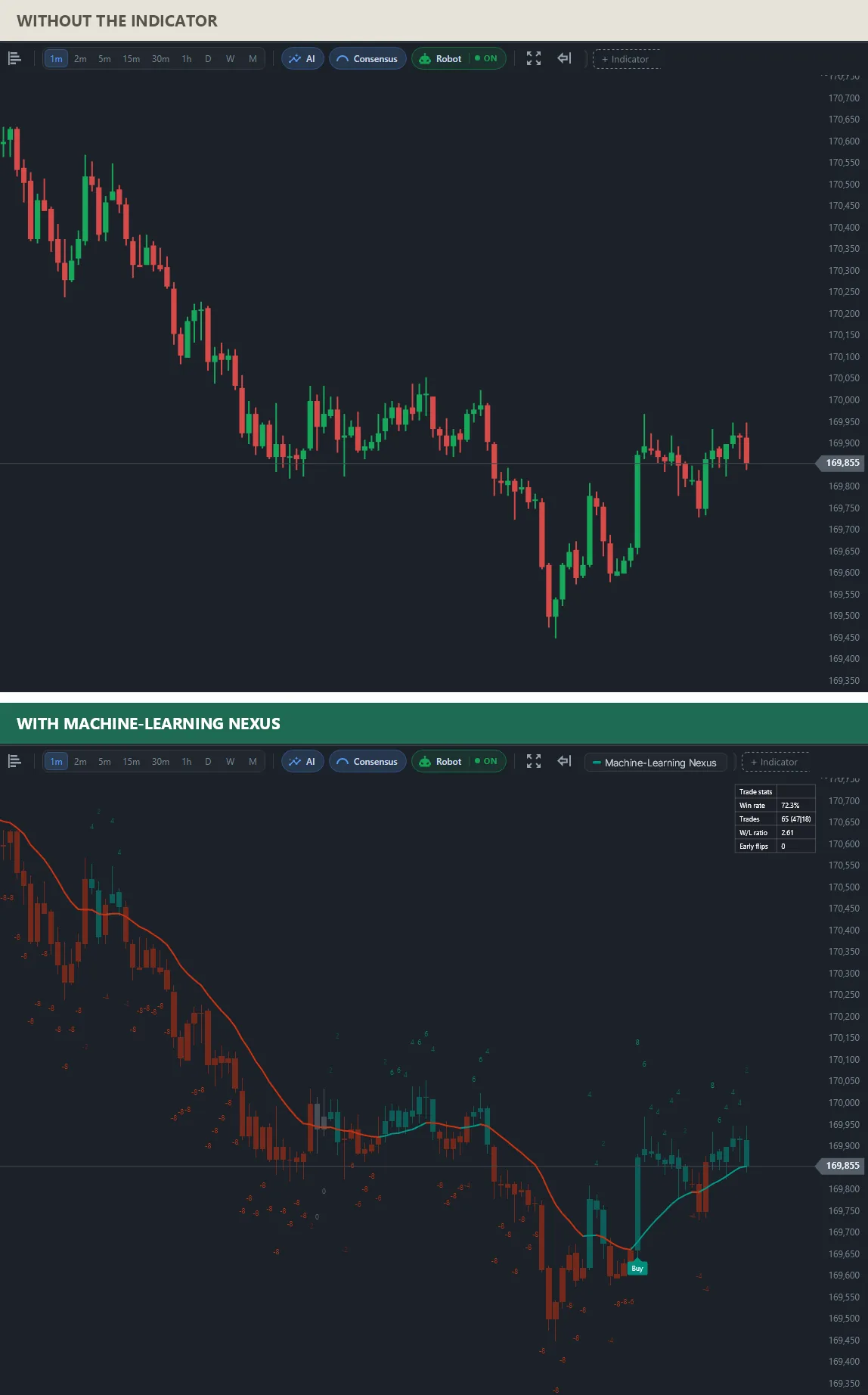
The mirror image of the first scene. During the fall the candles are red and the numbers negative, many of them at −8, the strongest reading. Near 169,600 the kernel line turns green and a Buy mark appears, and the numbers move to the positive side as price climbs back to 169,855.
What the AI indicator reads on a typical mini index session
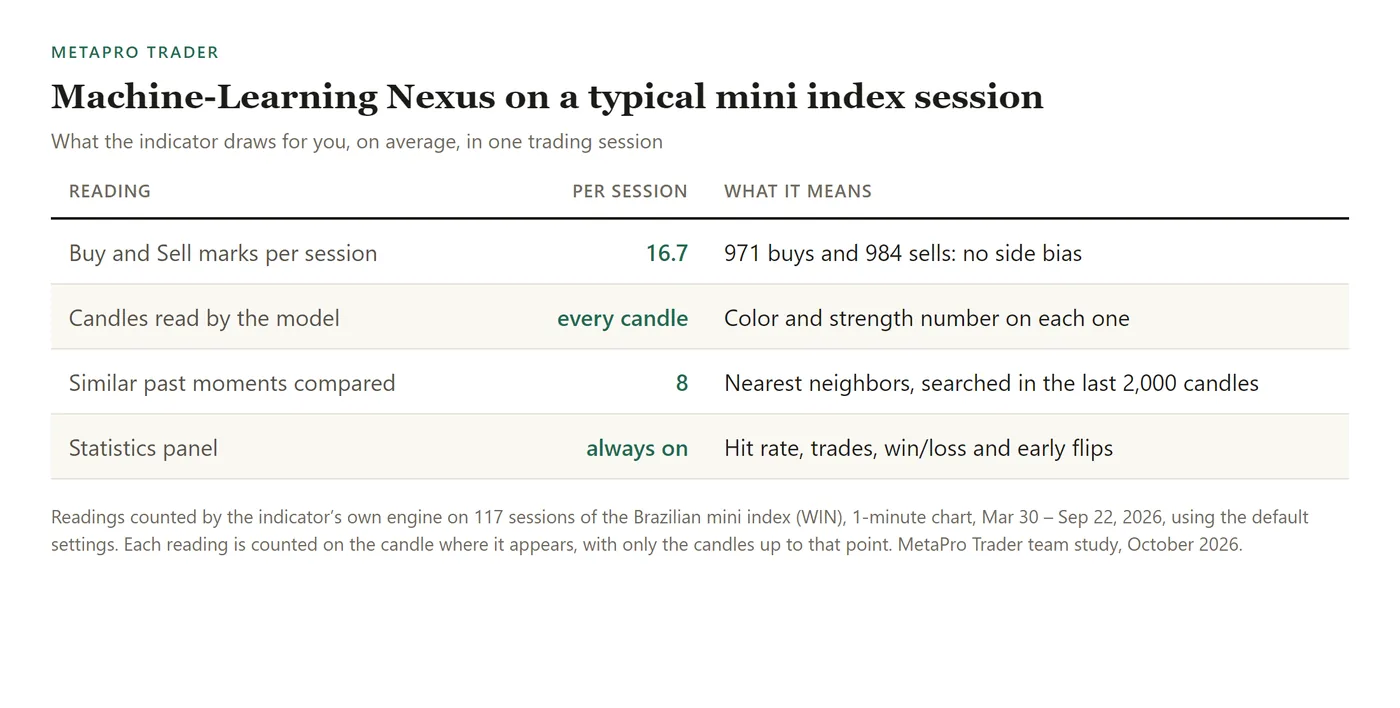
Over 117 sessions of the Brazilian mini index (WIN), 1-minute chart, Mar 30 – Sep 22, 2026, Machine-Learning Nexus gave 16.7 Buy and Sell marks per session on average, 971 buys and 984 sells in total, with no bias to either side. Every candle is compared with its 8 nearest past situations among the last 2,000 candles.
How to add the machine learning trading indicator to MT5
Connect MetaTrader 5 in MetaPro Trader, open the chart, click + Indicator and choose Machine-Learning Nexus in the Signals tab. More neighbors make the reading steadier and slower, fewer make it faster and jumpier, and you can compare both on the statistics panel. Keep the kernel line on: it is the quickest way to see a flip.
Written by the MetaPro Trader team. Every chart above is a real 1-minute mini index session, drawn by the same engine that runs in the platform. The indicator does not place orders and is not a recommendation; trading carries risk of loss.
Learn more
- AI trading indicator with machine learning for MT5
- A divergence indicator for MT5
- Buy and sell signals on the exact candle
- The full list of MetaPro Trader indicators
- MetaPro Trader for MetaTrader 5
Keep reading
- A day trading bot for the mini index: how we test MetaPro Scalp V2 before it goes live
- The Market Breadth Radar MetaTrader 5 Doesn’t Have: Stocks, Dollar and Foreign Indices From Different Brokers on One Chart
- Automatic Fibonacci Indicator for MT5: Day Trading Levels and Targets That Draw Themselves
- Automatic Stop Loss and Take Profit Indicator for MT5: Trade With the Plan on the Chart
- Buy and Sell Signal Indicator for MT5: See the Turn on the Exact Candle
- Divergence Indicator for MT5: See When a Move Is Running Out of Strength
- Range Breakout Indicator for MT5: Catch the Breakout the Moment It Happens
- Volume Profile Indicator for MT5 Day Trading: Follow the Money, Not Just the Price
- Order Block Indicator With Volume for MT5: Find Where the Big Moves Came From
- Intraday Support and Resistance Indicator for MT5: Start the Session With the Levels Drawn
- Smart Money Concepts Indicator for MT5: Market Structure the Way Professionals Read It
- Automatic Chart Pattern Indicator for MT5: Head and Shoulders, Triangles and Flags Found for You
- Automatic Support and Resistance Indicator for MT5, Scored From 0 to 100
- Buying and Selling Pressure Indicator for MT5: Who Is Running the Market Right Now
- Volume-Based Support and Resistance Indicator for MT5: Levels Confirmed by Real Trading
- Multi-Timeframe Candle Indicator for MT5: The Daily Candle on Your 1-Minute Chart